
Last updated on
Nov 6, 2026

DA 759 2016-2026 free printable template
pdfFiller is not affiliated with any government organization

Fill out
Complete the form online in a simple drag-and-drop editor.

eSign
Add your legally binding signature or send the form for signing.

Share
Share the form via a link, letting anyone fill it out from any device.

Export
Download, print, email, or move the form to your cloud storage.
Why pdfFiller is the best tool for your documents and forms


End-to-end document management
From editing and signing to collaboration and tracking, pdfFiller has everything you need to get your documents done quickly and efficiently.
Accessible from anywhere
pdfFiller is fully cloud-based. This means you can edit, sign, and share documents from anywhere using your computer, smartphone, or tablet.
Secure and compliant
pdfFiller lets you securely manage documents following global laws like ESIGN, CCPA, and GDPR. It's also HIPAA and SOC 2 compliant.
What is DA 759
The Army Individual Flight Record and Flight Certificate is a government form used by soldiers to document and certify their military flight records and qualifications.
pdfFiller scores top ratings on review platforms




I was happy to find something that works so good and easy
Works great on my chrome book without a lot of hassle!
i found everything just fine the next step was to print
I was having difficulties and the chat personnel Ellie was very helpful
I JUST USED IT FOR THE FIRST TIME BUT THE SERVICS ARE VERY GOOD
separation certificate
Easy to Navigate and fill
Who needs DA 759?
Explore how professionals across industries use pdfFiller.

DA 759 is needed by:
-
U.S. Army soldiers seeking flight certification
-
Commanders responsible for signing flight records
-
Military administrators managing flight qualifications
-
Personnel involved in flight safety assessments
-
Trainers overseeing soldier flight hours
Comprehensive Guide to DA 759
What is the Army Individual Flight Record and Flight Certificate?
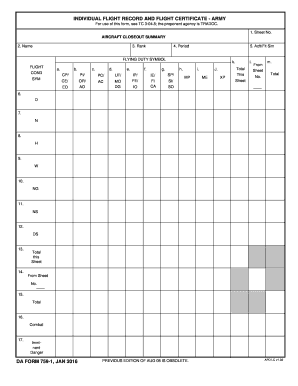
The Army Individual Flight Record and Flight Certificate, known as DA Form 759, is a vital document that records a soldier’s flight hours and qualifications. It plays a significant role in maintaining accurate flight records within the U.S. Army. Originally established to streamline the documentation process, the form has undergone revisions, rendering the August 2008 edition obsolete.
This form encompasses several key components, including sections dedicated to biographic information and flight qualifications. Proper completion of the form ensures that all necessary data is captured accurately, which is essential in military operations.
Purpose and Benefits of the Army Individual Flight Record and Flight Certificate
The Army Individual Flight Record serves multiple purposes, primarily focusing on accurate record-keeping for a soldier's flight hours. This detailed documentation benefits soldiers by allowing them to track their qualifications and experiences over time. Accurate records are not only vital for personal accountability but also necessary for fulfilling military requirements.
-
Facilitates commander’s oversight during the form completion process.
-
Enhances a soldier's ability to advance professionally based on documented flight experience.
-
Assists in maintaining compliance with military training and operational standards.
Who Needs the Army Individual Flight Record and Flight Certificate?
The target audience for the Army Individual Flight Record includes soldiers who actively fly and commanders responsible for overseeing the completion of the form. Soldiers must fill out or update their flight records under various circumstances, such as completing additional training or achieving new qualifications.
-
All active-duty soldiers engaged in flight activities.
-
Commanders who must verify and sign the completed form.
-
Soldiers seeking to maintain eligibility for specific flight-related duties.
How to Fill Out the Army Individual Flight Record and Flight Certificate Online (Step-by-Step)
Completing the Army Individual Flight Record online can be done efficiently using pdfFiller. Follow these detailed instructions to ensure accuracy:
-
Access the DA Form 759 through the pdfFiller platform.
-
Enter required biographic data accurately in designated fields.
-
Document your total flight hours in the appropriate section.
-
Review each entry for completeness and correctness.
-
Secure your submission with the necessary signatures.
Focusing on these key fields helps ensure that all required information is entered and validated, preventing errors that can complicate the submission process.
Common Errors and How to Avoid Them in the Army Individual Flight Record and Flight Certificate
When filling out the Army Individual Flight Record, several common errors can occur. Here is a list of pitfalls to be aware of and tips on how to prevent them:
-
Omitting flight hours or inaccurately entering totals.
-
Failing to secure the commander's signature, which is essential for validation.
-
Neglecting to review all entered information before submission.
Implementing double-check systems and retaining open communication with commanders can help decrease these oversights.
How to Sign the Army Individual Flight Record and Flight Certificate
The signature process for the Army Individual Flight Record includes a few important considerations. Primarily, the document requires the signature of the commander, which confirms the accuracy of the information provided by the soldier.
-
A digital signature can be used as a valid substitute for a wet signature.
-
Ensure compliance with signing requirements specific to military documentation.
-
Utilize pdfFiller to eSign the form securely, maintaining confidentiality.
Where to Submit the Army Individual Flight Record and Flight Certificate
Submitting the Army Individual Flight Record entails following specific protocols that ensure timely processing. Submission methods include both online and in-person options, which depend on unit requirements and processes. Soldiers need to be aware of deadlines relevant to their flight record submissions to avoid any potential penalties.
-
Check with your command for the preferred submission method.
-
Submit the form within the required timeframe to avoid late penalties.
-
Confirm that all signatures and entries are complete before submission.
Security and Compliance for the Army Individual Flight Record and Flight Certificate
Security when handling sensitive documents, such as the Army Individual Flight Record, is crucial. pdfFiller implements robust security measures, including encryption and compliance with federal regulations, to protect users' personal information.
-
Adhere to best practices for managing sensitive data during document transmission.
-
Ensure that confidentiality is maintained throughout the process.
-
Stay informed about regulatory compliance pertinent to military records.
Using pdfFiller for the Army Individual Flight Record and Flight Certificate
Utilizing pdfFiller offers numerous advantages when completing the Army Individual Flight Record. The platform simplifies the editing, filling, and eSigning of military forms, significantly improving the user experience. Key features enhance the overall process:
-
Ability to edit and add necessary fields directly in the document.
-
Convenience of tracking submissions and managing document versions.
-
Secure environment for eSigning, ensuring compliance with military standards.
Ready to Get Started with Your Army Individual Flight Record?
Accessing and completing your Army Individual Flight Record and Flight Certificate has never been easier. With pdfFiller, users can streamline their documentation process effectively. Start now to experience the benefits pdfFiller provides in managing your military flight records.
How to fill out the DA 759
-
1.To begin, access pdfFiller and search for the Army Individual Flight Record and Flight Certificate form by entering 'DA Form 759' in the search bar.
-
2.Once you find the form, click on it to open in the pdfFiller editor. Familiarize yourself with the layout, which includes multiple sections for personal information and flight details.
-
3.Before filling out the form, gather relevant information such as your personal data, flight hours, and qualifications to ensure you have everything required at hand.
-
4.Start filling in your personal demographic information in the appropriate fields. Ensure all data is accurate and complete.
-
5.Next, enter your total flight hours and any relevant qualifications in the designated sections. Be careful to double-check all figures for accuracy.
-
6.As you complete the form, make use of pdfFiller's tools to add checkmarks or notes where necessary. This will help ensure nothing is missed.
-
7.After filling in the entire form, thoroughly review all entered information to confirm completeness and correctness.
-
8.Once you are satisfied with the filled form, save your progress. You can download it as a PDF or submit it directly through pdfFiller, as needed.

Who is eligible to fill out the Army Individual Flight Record and Flight Certificate?
Eligibility to fill out the DA Form 759 includes U.S. Army soldiers who have participated in flight operations and commanders responsible for validating their flight records.
When must the Army Individual Flight Record and Flight Certificate be completed?
The form must be completed and signed during the soldier's birth month annually, as required by Army regulations for accurate record-keeping.
How can I submit the Army Individual Flight Record and Flight Certificate?
You can submit the DA Form 759 by either downloading it from pdfFiller and delivering it to your command or using pdfFiller's submission feature if available.
What supporting documents do I need for filling out this form?
While filling out the DA Form 759, you will need access to your flight logs, any certifications, and other relevant personal data to ensure accurate reporting.
What are common mistakes to avoid when filling the Army Individual Flight Record and Flight Certificate?
Common mistakes include entering incorrect flight hours, missing necessary signatures, and not completing required sections of the form. Review your entries carefully before submission.
What is the processing time for the Army Individual Flight Record and Flight Certificate?
Processing times for the DA Form 759 can vary; however, it’s advisable to allow sufficient time for review and approval by the commander, especially if submitted near deadlines.
Are there any fees associated with the Army Individual Flight Record and Flight Certificate?
There are generally no fees associated with the completion or processing of the DA Form 759, as it is a military government form.
DA 759 Form Versions
Related Content
Related Forms




Related Catalogs
Get the latest insights from our blog


If you believe that this page should be taken down, please follow our DMCA take down process
here
.
This form may include fields for payment information. Data entered in these fields is not covered by PCI DSS compliance.